
This habit harms your AirPods battery life

AirPods have become a symbol of Apple's seamless product design, known for their reliability and continuous improvements since their debut in 2016. Over the years, Apple has refined their design and introduced new models with features like Spatial Audio and enhanced Active Noise Cancellation. Despite these advancements, users may occasionally encounter an issue where one AirPod drains its battery much faster than the other.
This situation recently happened to me at an airport during a layover. I had my music playing, and I noticed that one AirPod had 74% battery while the other dropped to just 13%. This isn't necessarily due to a faulty battery but could be related to how you use your AirPods.
The Impact of Using One AirPod
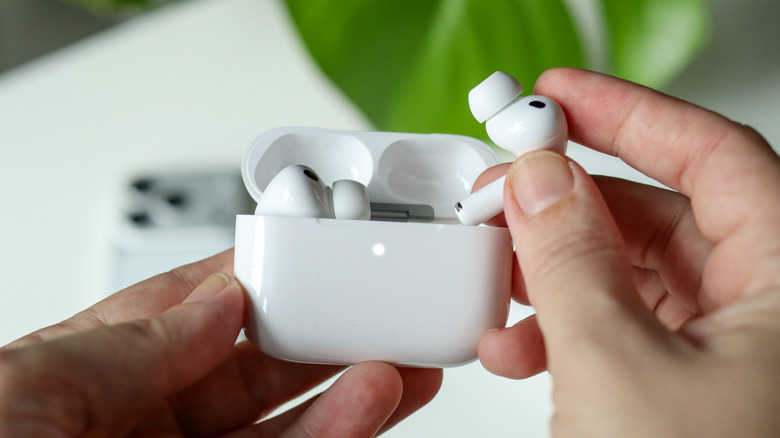
If you frequently use only one AirPod while keeping the other in the case, this can affect the battery life of the unused AirPod. For instance, during my airport visit, I used one AirPod to communicate with friends and listen to announcements, while the other remained in the case. Although I could have used Transparency mode, sometimes it feels more natural to have both AirPods in for a conversation.
Using one AirPod consistently can lead to uneven battery performance over time. This is because the AirPod that remains in the case undergoes more charge cycles, which can degrade its ability to hold a charge. Apple has addressed this issue with features like Optimized Battery Charging on iPhones, which helps reduce battery degradation by charging to 80% and only reaching 100% when needed.
The Science Behind Battery Life
Lithium batteries, like those in AirPods, experience mechanical strain when kept at a high state of charge for extended periods. Research has shown that this stress can cause warping or swelling in older batteries. Therefore, it's important to manage how you charge and use your AirPods to prolong their lifespan.
To minimize this issue, it's recommended to use both AirPods simultaneously. If you have AirPods Pro, utilizing Transparency mode allows you to stay aware of your surroundings without removing both earbuds. For regular AirPods, taking both out when having a conversation ensures even battery usage.
Tips for Maintaining Battery Health
- Use Both AirPods: Treat your AirPods as a pair rather than individual earbuds to maintain balanced battery performance.
- Avoid Leaving One in the Case: Consistently using one AirPod while the other remains in the case can lead to uneven battery degradation.
- Utilize Transparency Mode: This feature helps you stay connected to your environment without compromising battery health.
- Charge Strategically: Allow your AirPods to charge fully when necessary, but avoid leaving them at 100% for long periods.
By following these practices, you can ensure that your AirPods maintain optimal battery performance throughout their lifespan.

Post a Comment for "This habit harms your AirPods battery life"
Post a Comment